
Asset and vehicle tracking with a digital handover form

  • Time-stamped asset form with QR code
  • Bulk asset and vehicle import
  • No deactivation before assets return
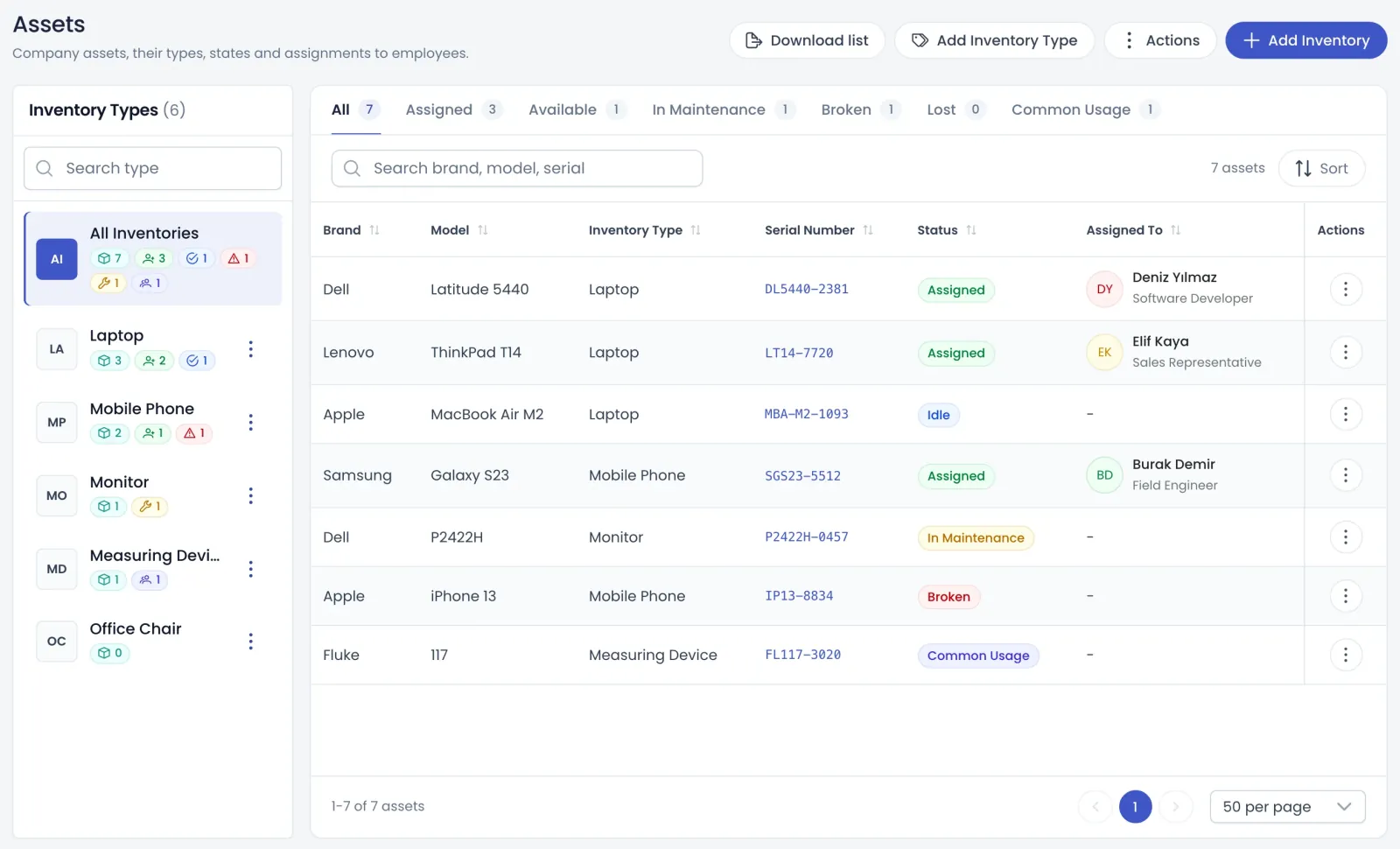
Assets: inventory by type, serial number and assignment status
What's inside

What asset and vehicle tracking covers

The module has two screens, asset management and vehicle management. Employees use the My Assets tab on their My Info page.

Asset register

Asset types, bulk entry and status tracking

Create asset types such as laptops or phones and add assets with brand, model, serial number, branch and purchase details, one by one or from Excel. The list shows each asset's status: assigned, available, in maintenance, faulty, lost or shared. Status changes are recorded with a date and a note.

  • Assignment history shows who got what, from whom and when
  • Deleting a wrong assignment row restores the previous state
  • The filtered asset list downloads as Excel
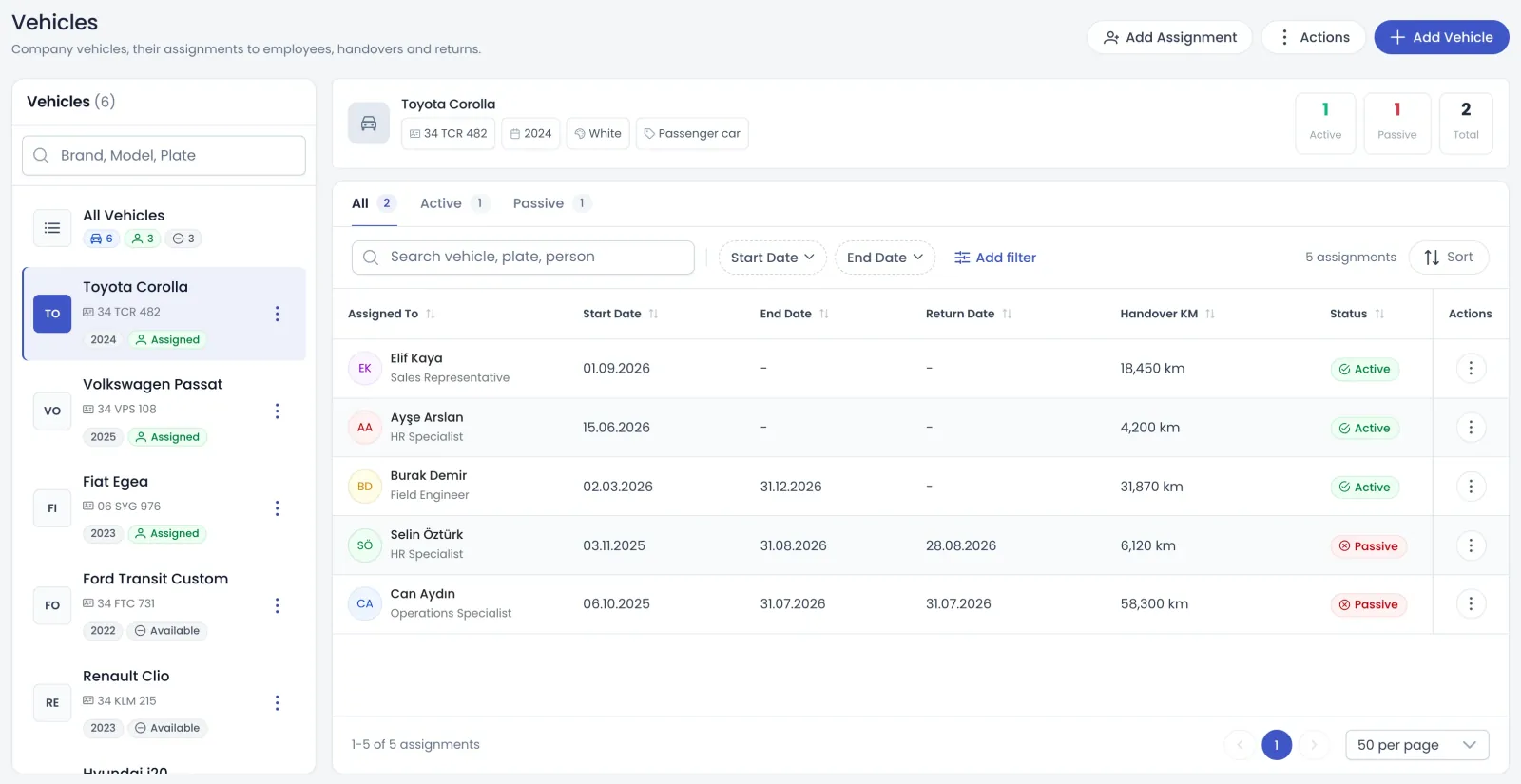
Vehicles: vehicle list, assignments and handover mileage
Assignments

Assignments, transfers and a digital asset form

Assign an asset with a hand-over date, a note and an optional photo; if someone else holds it, Teamso asks you to confirm the transfer. New and previous holders are emailed. Employees approve the current asset form as generated by the system or upload the company's signed form, then submit with an SMS code. The form is time-stamped and a QR-coded copy is kept.

  • The employee's manager is emailed when a form is approved
  • HR views past forms with their time stamp and QR code
  • Reminder emails go out in the months you choose
  • Only the employee, company admins and asset managers see forms
Vehicles

Company vehicles assigned with mileage

Register company vehicles with vehicle type, licence class, brand, model, colour, year, plate and chassis number. Store registration, insurance and inspection documents on the vehicle record. Assign a vehicle with starting mileage, a start date and an optional end date, and add a hand-over photo if you like.

  • Mileage cannot be lower than the previous assignment's
  • A new assignment closes the vehicle's previous one automatically
  • Bulk vehicle and assignment imports run from Excel
Who does what

Asset manager, fleet manager and employee

Asset and vehicle permissions are separate, and employees need no extra permission to see their own items.

Asset manager

Manages asset types and assets, assigns them, changes status and runs bulk imports. Opens a person's assets from the employee list, selects returned items and closes the assignment, and manages reminder settings.

  • Assigned assets cannot be edited or deleted
  • Several assets can be returned in one action
  • Forms can be uploaded on an employee's behalf

Fleet manager

Registers vehicles, assigns them to employees and ends assignments by entering an end date. Searches assignments by vehicle, plate or employee, filters by dates and downloads vehicle and assignment lists as Excel.

  • Assignments show as active or passive
  • Vehicles with history cannot be deleted
  • Details like plate and colour can always be corrected

Employee

Sees their assets on the My Assets tab of My Info, opens the asset form and approves it with an SMS code. When an assignment email arrives, approving the updated form there is all it takes.

  • The form opens in a phone browser too
  • They can upload their own signed form
  • An approved form clears pending reminders
How it works

Start tracking assets in four steps

  1. Grant permissions

    Give asset and vehicle permissions to the right people and keep employee emails and phone numbers up to date.

  2. Enter your inventory

    Create asset types and add assets and vehicles one by one or in bulk with the Excel template.

  3. Assign items

    Assign assets to employees and vehicles with mileage and dates; employees get an email about the change.

  4. Get forms approved

    Employees approve the current asset form with an SMS code, and it is stored time-stamped with a QR code.

FAQ

Frequently asked questions about Asset and vehicle tracking

Contact us
What does asset tracking software do for HR?

It keeps company laptops, phones, furniture and other assets in one list, showing who holds each item and in what condition. Every assignment, transfer and status change is recorded with a date and note, and the people involved are emailed. Employees approve their current asset form digitally, so paper handover forms are no longer needed.

How is the digital asset form approved?

The employee opens the asset form from the My Assets tab. They can use the system form Teamso builds from their assigned items or upload the company's signed form. After pressing approve and send, they enter the six-digit SMS code sent to their phone. The form is time-stamped and a QR-coded copy is created.

Who can see an employee's asset form?

Only the employee, company admins and users with asset management permission can see the form, its PDF and the asset list. Authorised users open a person's asset list from the employee list to see submitted forms by date; viewing the time stamp itself needs an additional permission.

How are assets handled when someone leaves?

An employee with assigned assets cannot be deactivated. The first step of the deactivation window lists their assets; you select the ones to return and close the assignment. Returned assets become available for someone else. Once everything is returned, the window moves on to the leaving details.

Can I track company vehicles too?

Yes. Register vehicles with plate, chassis number, licence class and other details, and store documents such as registration and insurance. Assign a vehicle with mileage and a date range. There is no separate maintenance or insurance tracking field; those documents live on the vehicle record. Vehicle assignments do not send emails.

Can assets be imported from Excel?

Yes. Bulk asset upload, bulk vehicle upload and bulk vehicle assignment all use Excel templates. Asset lists, vehicle lists and vehicle assignments also download as Excel; larger lists are prepared in the background and you are notified when they are ready.

What are asset reminder emails?

In the months you choose in company settings, active employees holding assets receive an email on the first of the month asking them to approve their asset form. This gives you a regular asset check through the year, and approving the form marks pending reminders as done.

Get started with Asset and vehicle tracking

Try it free or explore the product with our team.

Request a demo