Employee recognition

Employee recognition that puts good work where everyone can see it

In Teamso's recognition module you build a badge catalogue and decide who can give which badge. Managers recognise their team and colleagues recognise each other with a message, while milestones like years of service or goal scores award badges automatically. Recognition shows on the wall, on profiles and on the home page.

  • Catalogue ships with nine badges
  • Peer recognition, monthly allowance
  • Automatic badges for tenure and goals
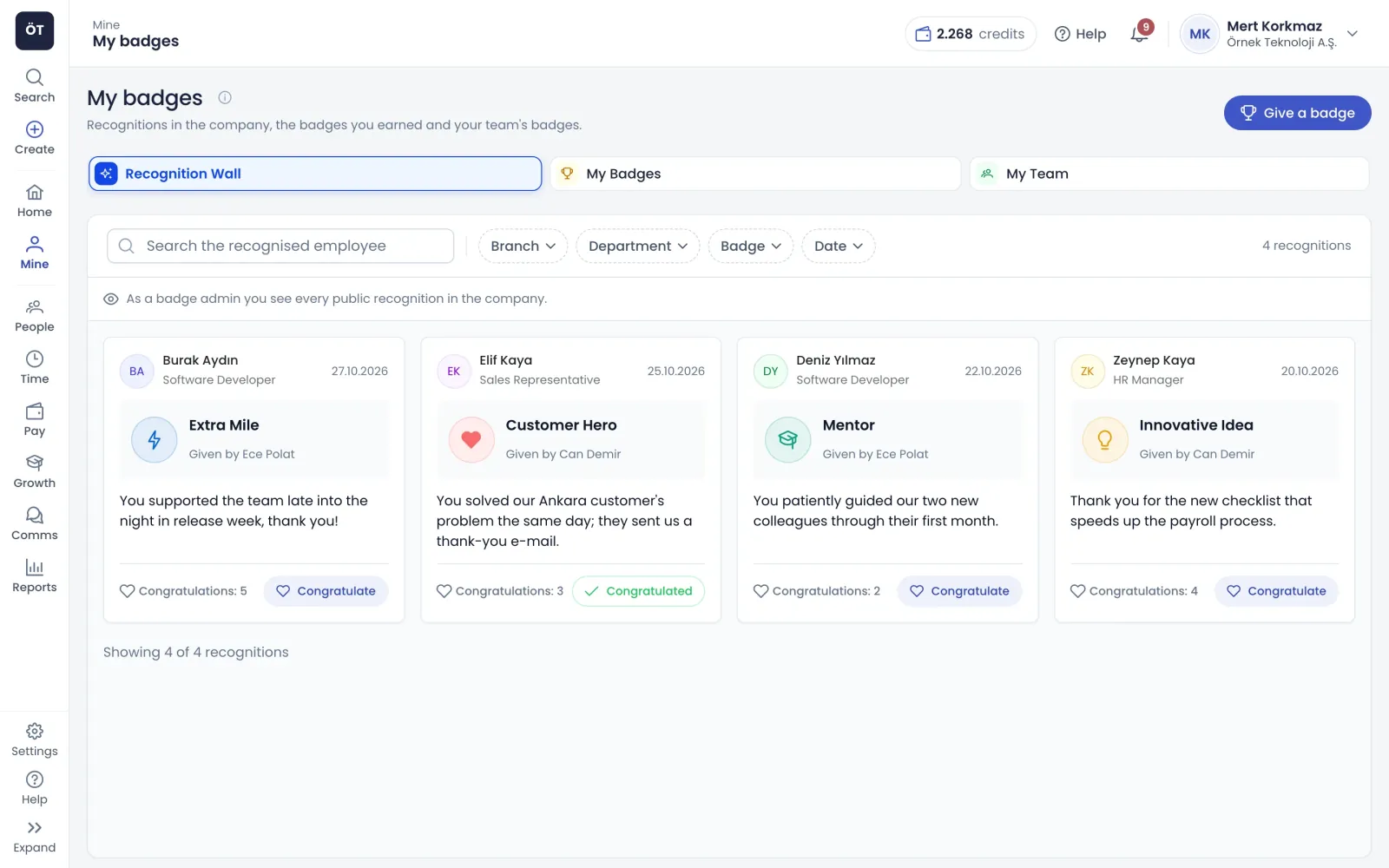
Recognition wall: awarded badges, messages and congratulations
What's inside

What the employee recognition module includes

The module has four parts: the badge catalogue, giving and approving recognition, automatic rules and the recognition wall. Badge settings apply company-wide from one place.

Catalogue

A badge catalogue and rules tailored to your company

The catalogue starts with nine ready badges, including Team Player, Mentor, Goal Hunter and years of service. New badges get a name, description, category, icon, colour and a bronze, silver or gold tier. For each badge you decide who can give it, whether HR approval or a message is required, default visibility and per-person limits. AI can suggest the fields for you to edit.

  • Badges are given manually, automatically or both
  • A cooldown in days prevents repeats to the same person
  • Badges already given are archived, never deleted
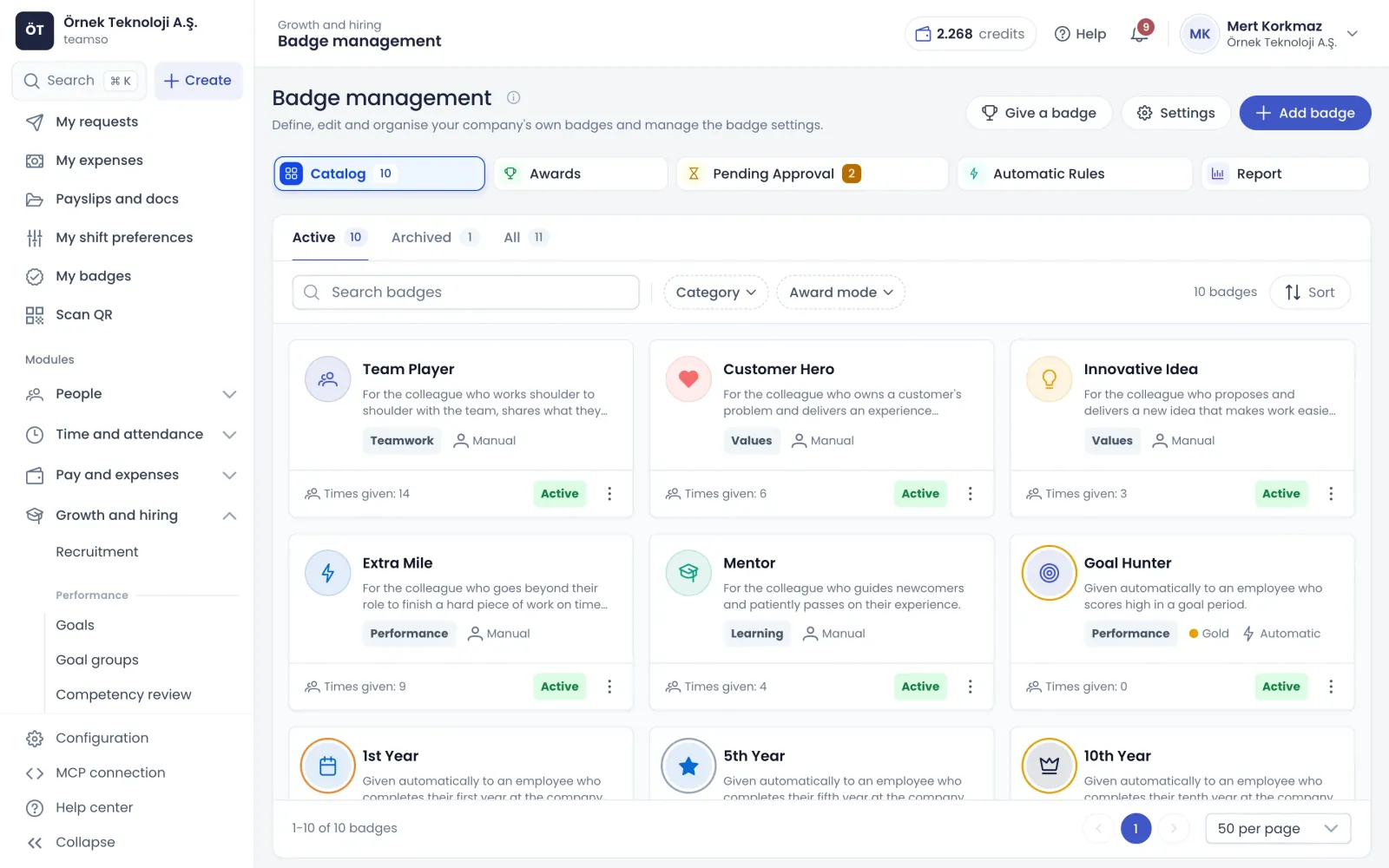
Badge catalog: company badges and how they are awarded
Recognition

Manager recognition, peer recognition and HR approval

Badge admins can recognise anyone and managers their direct team, one or several people at a time, always with a message. With peer recognition on, employees give open badges to a colleague using a monthly allowance that resets on the first of each month. Badges that need HR approval stay hidden until a badge admin approves them.

  • Recognition can be linked to a goal period
  • People who hit a limit are listed with the reason
  • Mistaken recognition is revoked with a reason
  • Every give, approve, reject and revoke is audit logged
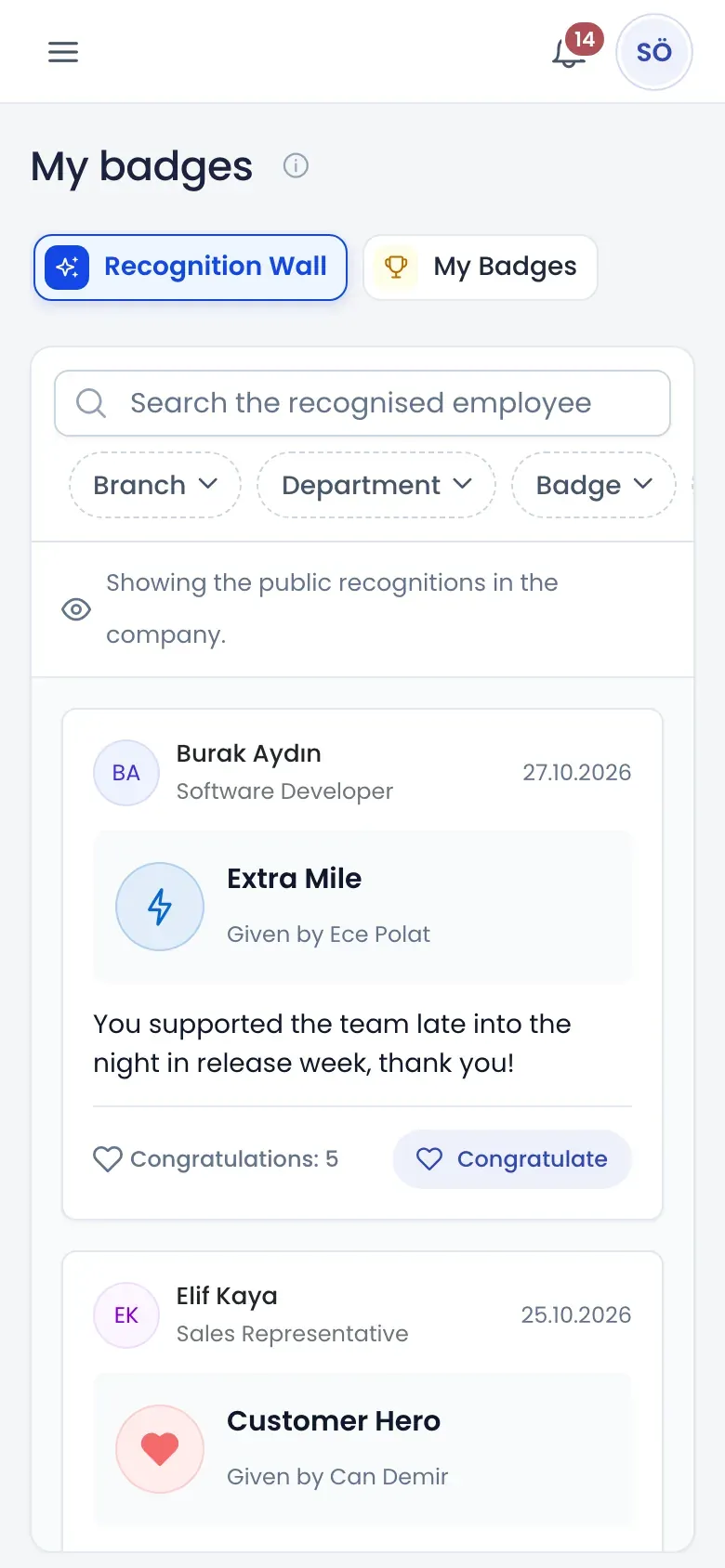
Mobile recognition wall: badge cards and congratulate button
Automatic rules

Automatic badge rules tied to achievements

Automatic rules link an achievement to a badge: years of service, goal period score, completed goals, competency score or recognitions received. Employees who meet the condition receive the badge without anyone giving it. Before applying a rule retroactively you see how many people it would award today. Tenure rules run nightly, others when the relevant record is saved.

  • Employees see locked badges with their progress
  • Nobody receives the same badge twice from a rule
  • Rules can be paused while awarded badges stay
Visibility

Recognition where people can see it

Recognition appears on the wall, on profiles, on the home page and in reports for different reasons.

Recognition wall and My Badges

The wall shows who received a badge, who gave it, the message and how many congratulations it has, and colleagues add their own. Its scope can be the whole company, own branch or own department. My Badges lists earned badges, and managers see their team's on My Team.

  • Employees can hide a recognition from their profile
  • Recognition can be visible to the person and manager only
  • A short celebration plays for a new badge

Badge report

The report tab shows recognition counts, distribution by badge, source and department, and employees who have never been recognised. A leaderboard of the most recognised people is optional. Recognition exports to Excel and badge admins can get a monthly summary email.

  • Badge points never affect performance scores
  • Showing points is a setting you control
  • Source breakdown shows where recognition comes from

Badges from assistants and other systems

Ask an AI assistant connected through Teamso MCP to give someone a badge, and it confirms the badge, person and message with you first. External systems such as a learning platform can call the same badge endpoint with a personal access token.

  • All on-screen rules apply here too
  • The external reference shows in recognition details
  • The token owner is recorded as the giver
How it works

Launch a recognition programme in four steps

  1. Shape the catalogue

    Review the ready badges, add new ones that reflect your company values and set the rules for giving them.

  2. Choose settings

    Decide whether managers can recognise their team, switch on peer recognition, set the allowance and wall scope.

  3. Set up rules

    Add automatic rules for tenure and goal scores, and apply them retroactively if you want.

  4. Start recognising

    Give the first badges, answer pending approvals and use the report to spot people nobody has recognised yet.

FAQ

Frequently asked questions about Employee recognition

Contact us
How does employee recognition work in Teamso?

A badge is the definition in the catalogue, and recognition is a badge given to a person. Badge admins manage the catalogue and rules. Badges are given with a message by managers, badge admins and, with peer recognition on, employees, or earned automatically through rules. Active recognition shows on the recipient's profile and, depending on visibility, on the wall.

Can employees recognise each other?

Yes, once peer recognition is switched on. The badge admin enables it in settings and sets the monthly allowance, five by default, which resets on the first of each month. Employees give badges open to everyone to one colleague at a time with a message, and you can limit it to people in the same department.

Which achievements can award a badge automatically?

Rule triggers include years of service, goal period score, completed goals, competency score and number of recognitions received. For example, someone completing five years gets the five-year badge, and someone passing a goal score threshold gets the related badge. These show on the wall as given automatically.

Does recognition from managers need approval?

If a badge requires HR approval, recognition given by a manager goes to the badge admin first and stays hidden from the profile and wall until approved. The badge admin approves or rejects with a reason; rejected recognition is never shown to the recipient, and the giver sees the reason. Recognition given by a badge admin is active straight away.

Do badge points affect performance reviews?

No. Badge points are not part of the performance score and only appear on the goals screen for information. You choose in settings whether points are shown at all. Recognition can be linked to a goal period, but even then the score calculation does not change.

Can I see who has never been recognised?

Yes. The report tab on badge management shows recognition counts and distribution by badge, source and department, and separately lists employees with no recognition. That makes it easy to see whether recognition clusters in a few teams. Export to Excel or turn on the monthly summary email for badge admins.

Can an AI assistant or another system give badges?

Yes. Ask an assistant connected through Teamso MCP to give a badge; it finds the person, lists the badges you are allowed to give and confirms badge, person and message with you. External systems such as a learning platform can give badges with a personal access token. Both routes apply the same rules, limits and approvals as the screen.

Get started with Employee recognition

Try it free or explore the product with our team.

Request a demo