Document approval and policies

Document approval and company policies with a clear record of who read what

Publishing a health and safety, privacy, information security or ethics policy is not enough; you also need to show who read and accepted which version. Teamso publishes policies to the right audience and records read and understood acknowledgements, while documents that need a signature are approved by SMS code with a time stamp.

  • Logged with version, channel and IP
  • New versions ask everyone again
  • Time-stamped e-document archive
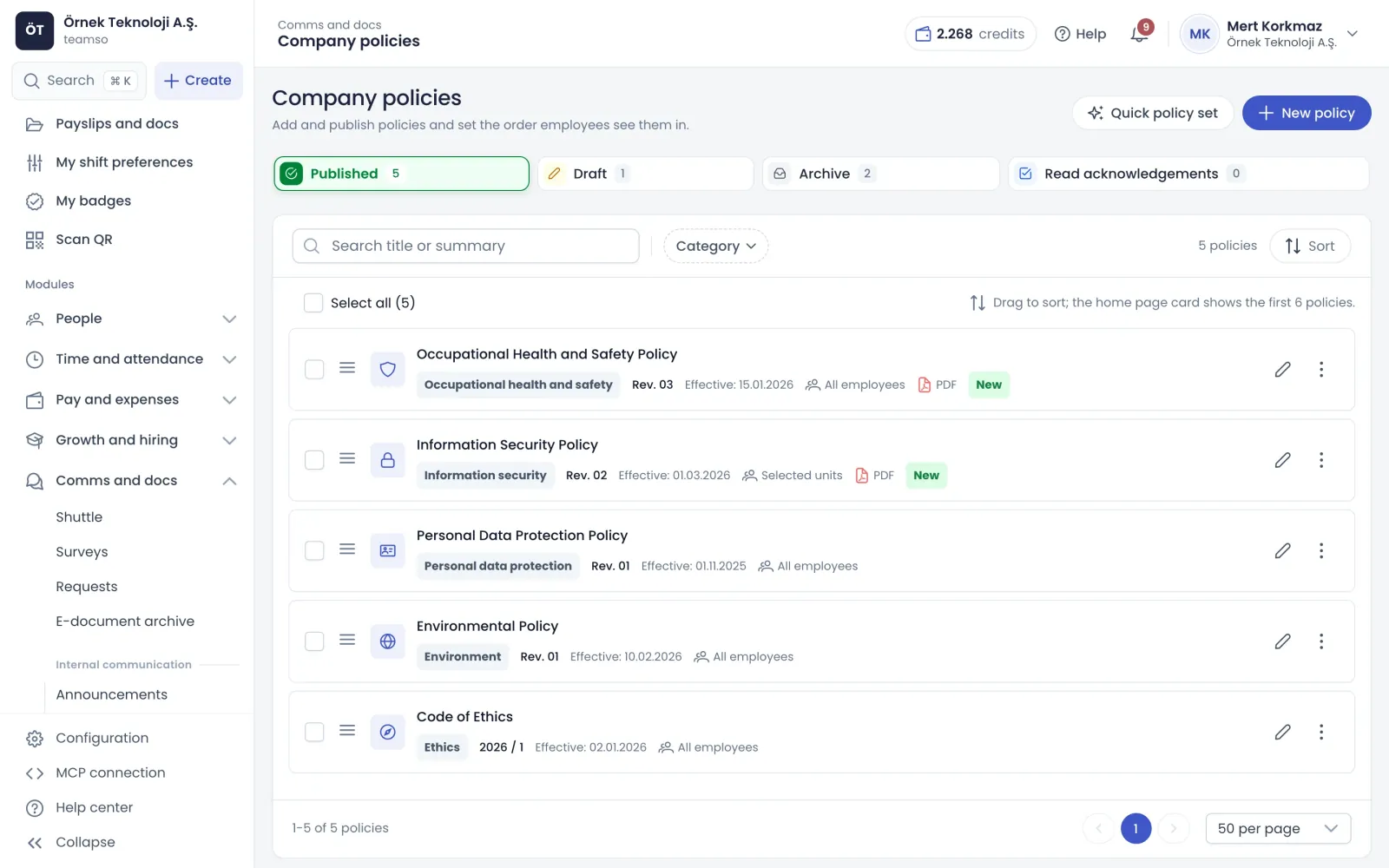
Company policies: published policies with revision and effective date
What's inside

What document approval and policies include

Two layers work together: read acknowledgements for internal policies and e-document approval for documents that need a signature. Both answer who approved what, and when.

Policies

Publish company policies with versions and audiences

Add policies as text or PDF under health and safety, environment, HR, information security, privacy, quality, ethics or other. Set a version label, effective date and review date. The audience is everyone or selected branches, departments and positions, and employees who join or move later see the policy automatically.

  • Publishing a new version bumps the number and date
  • Admins are reminded before a policy's review date
  • Publish, archive or delete several policies at once
  • The home page policies card follows your chosen order
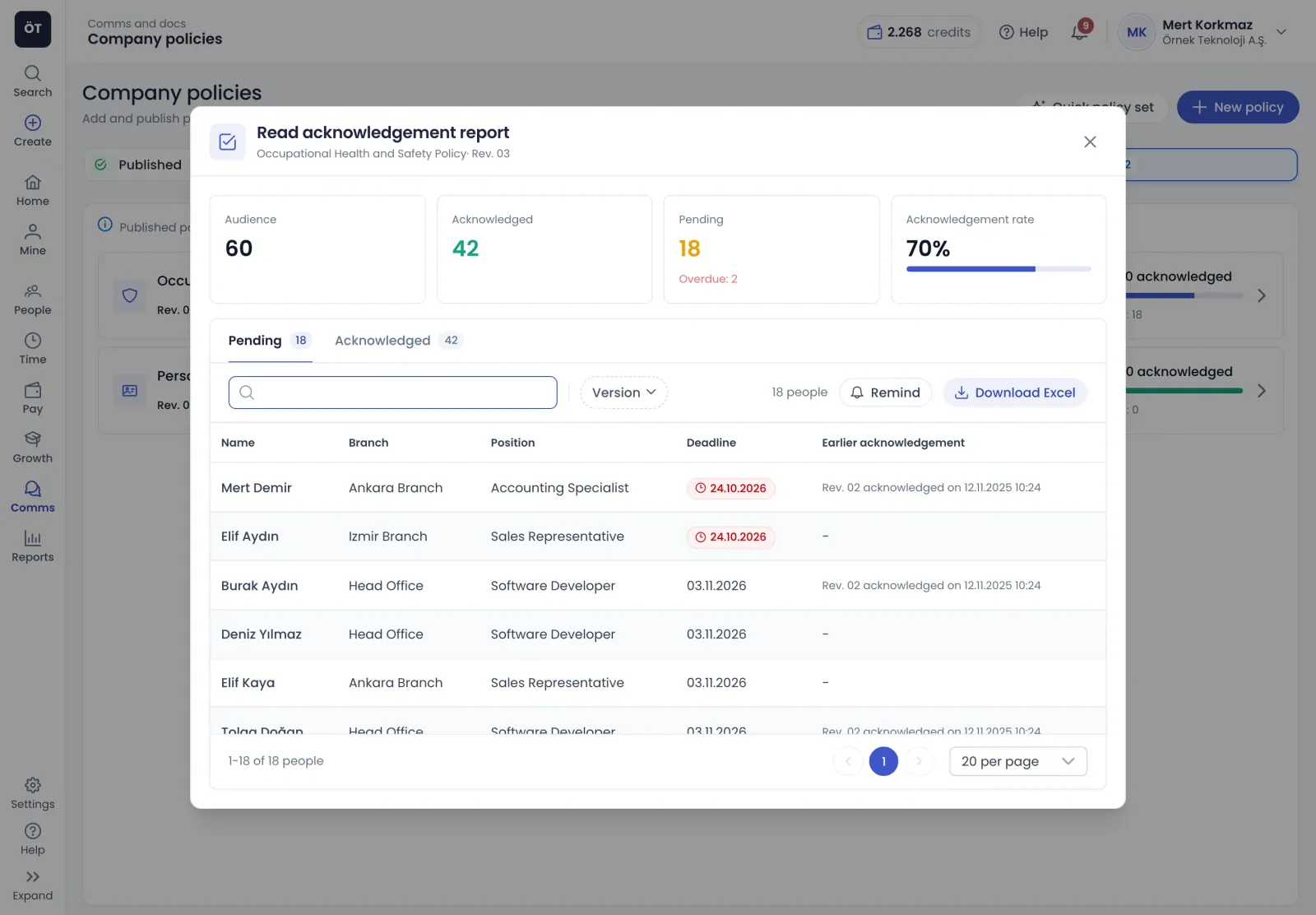
Read acknowledgement report: audience, acknowledged, pending and rate
Read acknowledgement

Read and understood acknowledgement with a report

For policies that need acknowledgement, employees open the policy and press read and understood; if there is a PDF, the button activates once it has loaded. Each acknowledgement is stored with date and time, version, channel and IP address. The report shows audience size, acknowledged and pending counts and the rate, and reminders go out in one click.

  • Deadlines can be set from 1 to 365 days
  • Automatic reminders go out three days before and on the day
  • Older versions' acknowledgements stay visible by version
  • Pending and acknowledged lists export to Excel
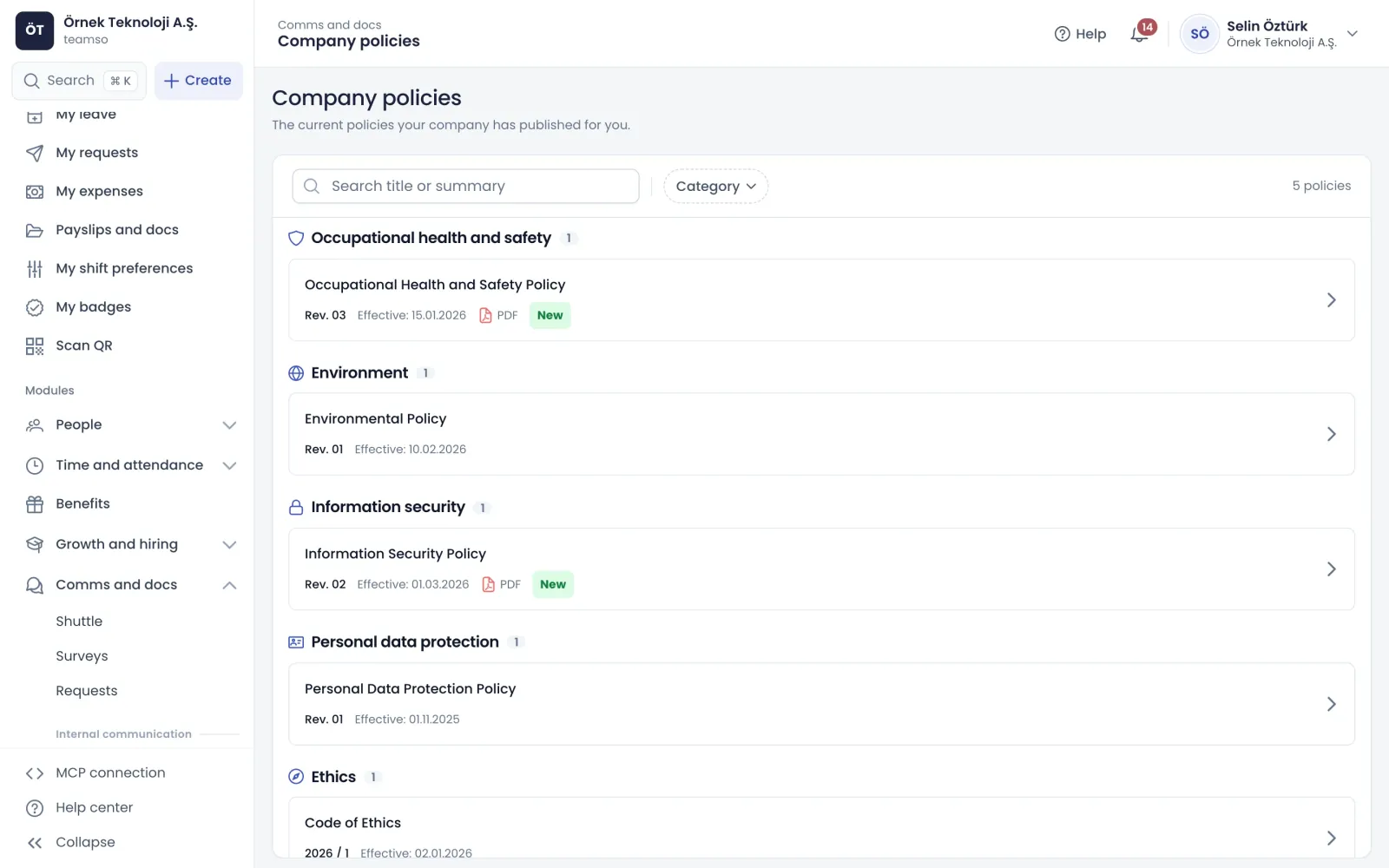
Employee policy view: published policies grouped by category
Quick policy set

AI-drafted policies suited to your company

The quick policy set pre-selects recommended policies based on your sector, headcount, branches, departments and hazard class, and you choose up to twelve. AI drafts each selected policy, falling back to a ready template if it cannot. Only company-level information is sent, never employee data, and drafts wait for your review before publishing.

  • Sector is inferred from your social security workplace code
  • Policies you already have are flagged in the list
  • Drafts are not legal advice and must be reviewed
Right tool

Which approval for which document?

Read acknowledgements and e-document approval serve different needs.

Read acknowledgement for internal policies

For internal policies such as health and safety, privacy or codes of conduct, a click-based read and understood acknowledgement is enough. It is stored once per version, and a new version puts everyone back to pending. It works the same on web and mobile.

  • Pending policies appear in the home page task box
  • The channel is recorded as web or mobile app
  • Acknowledging the same version twice adds no record

E-document for documents needing a signature

Contract annexes, privacy notices and other documents that need a signature are sent as e-documents. With time stamping on, employees approve with an SMS code and a time-stamped copy is created. Approved documents cannot be deleted.

  • Rejection is allowed or blocked when sending
  • Automatic reminders and overdue reports are built in
  • Time-stamped PDFs download from the archive

Audit-ready records

The e-document archive lists each document's history of sending, reminders, resends, approvals and rejections with date, time and the person who acted. On the policy side, the acknowledgement report shows who accepted which version and when.

  • Reports export to Excel
  • Pending people past the deadline are marked red
  • People who accepted an earlier version are shown
How it works

Set up policy management in four steps

  1. Prepare policies

    Add your existing policies as text or PDF, or let AI draft a set with the quick policy set.

  2. Choose the audience

    Publish to everyone or to selected branches, departments and positions, and notify employees.

  3. Ask for acknowledgement

    Turn on read acknowledgement where needed, set a deadline if you like, and send signed documents as e-documents.

  4. Track with reports

    Follow progress on the acknowledgements tab, remind people still pending and export the list to Excel.

FAQ

Frequently asked questions about Document approval and policies

Contact us
How do I collect policy acknowledgements from employees?

Turn on read acknowledgement in the policy window and optionally enter a deadline in days. When published, the audience is notified and the policy appears as pending in the home page task box. Employees open it and press read and understood, and the acknowledgement is stored with date, time, version, channel and IP address.

What happens to acknowledgements when a policy changes?

Publishing a policy as a new version increases the version number, refreshes the publish date and, if acknowledgement is required, puts everyone back to pending. Acknowledgements of earlier versions are kept and can be viewed by choosing the version in the report. Minor corrections are saved without changing the version.

How is a read acknowledgement different from e-document approval?

A read acknowledgement is a single click and suits internal policies. E-document approval is for documents that need a signature: with time stamping on, employees approve with an SMS code and a time-stamped copy is stored. Both give you a record of who approved which document and when.

How do I see who has not acknowledged a policy?

The acknowledgements tab shows, for each policy, how many people acknowledged out of the audience, a progress bar and the pending count. Open the report and the pending tab lists names, branches, positions and deadlines, with overdue entries in red. Send reminders from there and export the list to Excel.

Can AI write our company policies?

The quick policy set lets you pick recommended policies and have AI draft them. Drafts carry a label reminding you to review them before publishing. Only company name, sector, headcount, branch count, department names and hazard class are sent to the AI. Drafts are not a substitute for legal advice.

Can employees read policies in the mobile app?

Yes. Employees open policies from the menu and the home page policies card, and in the mobile app PDFs open inside the app. The read and understood button works the same way and the channel is recorded as mobile app. Policies published in the last fourteen days carry a new badge.

What records can I show in an audit?

For policies, the acknowledgement report shows which version each employee accepted, when and through which channel, and exports to Excel. For e-documents, the archive history lists sending, reminders, approvals and rejections with date and person, and time-stamped PDFs can be downloaded. Approved e-documents cannot be deleted.

Get started with Document approval and policies

Try it free or explore the product with our team.

Request a demo